
Slack app
WebGuardly — Monitor service for Slack
WebGuardly helps WordPress agencies monitor client sites for downtime, SSL issues, and security risks. The Monitor service Slack app posts actionable alerts to your team channels — so you fix problems before clients notice.
What it does
WordPress monitoring alerts inside Slack
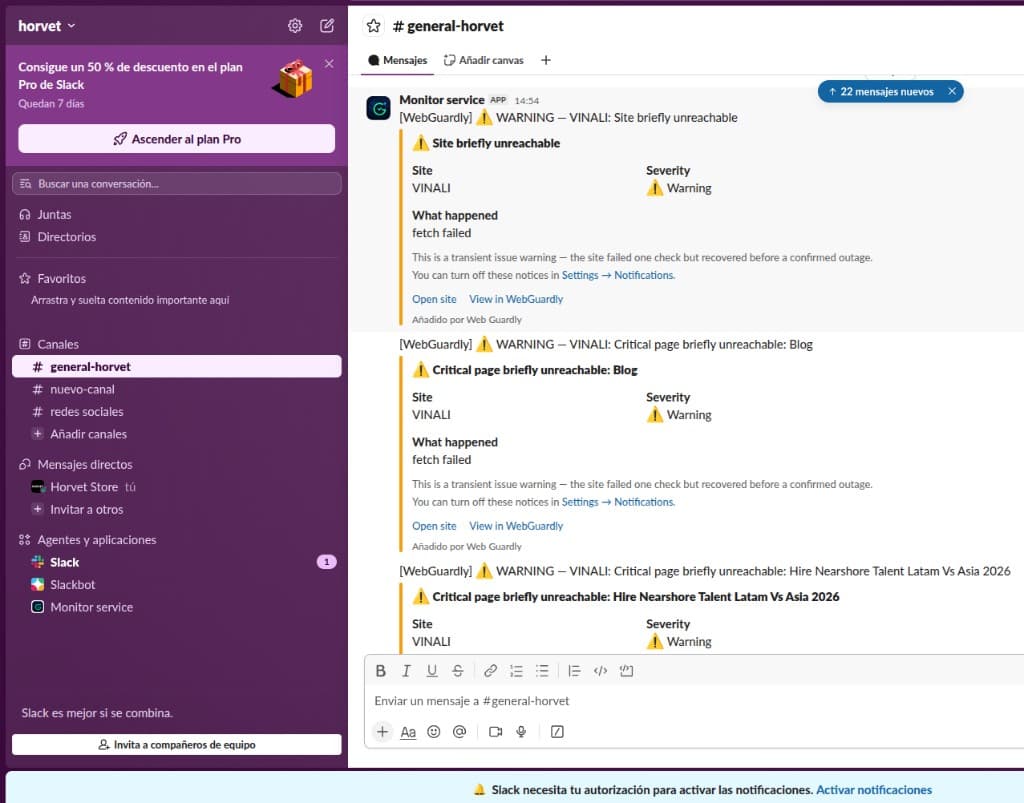
When a client site goes down, an SSL certificate nears expiry, or a plugin has a known CVE, WebGuardly opens an incident and delivers a formatted message to Slack.
Severity-colored alerts
Critical outages, SSL expiry, CVE warnings, and transient blips — formatted blocks your team can scan in seconds.
Works in your channels
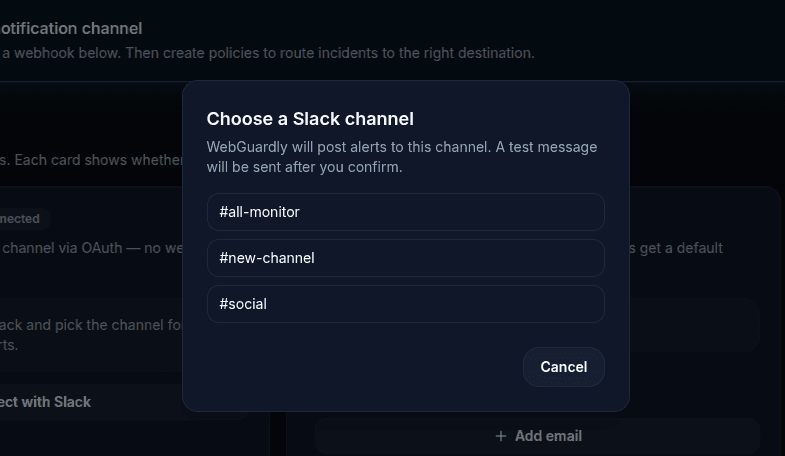
Post to #ops, #client-alerts, or a private channel. Invite the bot to private channels with /invite @Monitor service.
OAuth, not webhooks
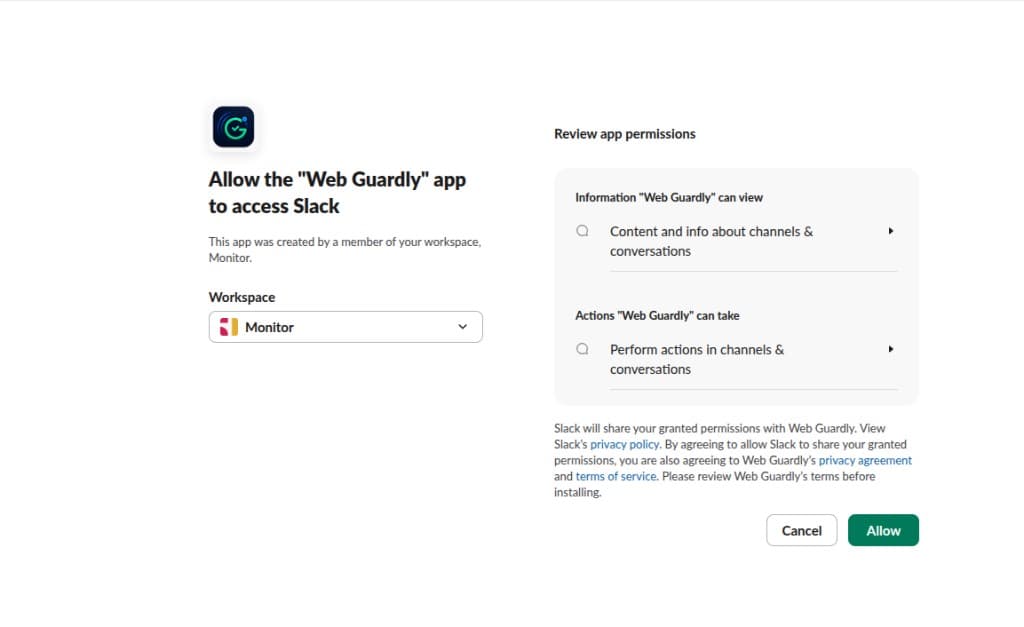
Secure workspace install with scoped permissions. Credentials are encrypted and never exposed in the dashboard.
Alert types routed to Slack
- Site & critical page downtime
- Recovery notifications
- SSL & domain expiry
- WordPress core / plugin updates
- CVE vulnerability warnings
- Transient uptime blips (optional)
See it in Slack
How alerts look in your workspace
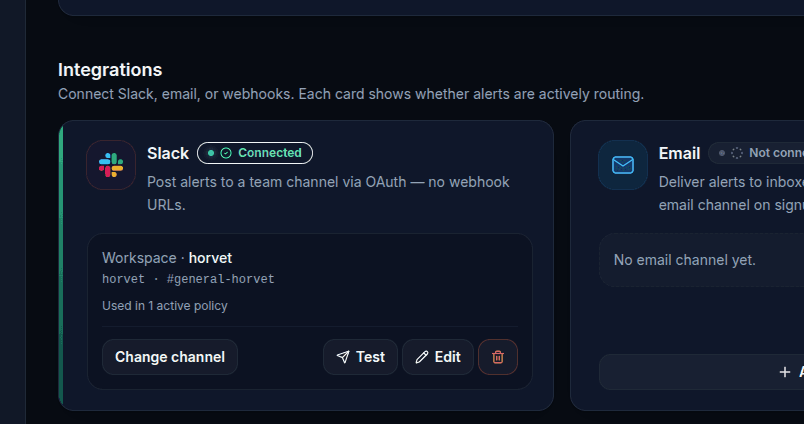
Screenshots from a real WebGuardly + Slack setup.
Installation
How to install Monitor service in Slack
Follow these steps to connect WebGuardly alerts to your workspace.
- 1
Create your WebGuardly account
Sign up free at webguardly.com — no credit card. Add your client WordPress sites to start monitoring.
- 2
Upgrade to Starter or higher
Slack alerts are included on Starter ($19/mo), Studio, and Agency plans. Upgrade from Billing in your dashboard.
- 3
Click Add to Slack
Approve the Monitor service app in your workspace. WebGuardly uses OAuth — no manual webhook URLs.
- 4
Pick an alert channel
Choose a public or private channel. WebGuardly joins the channel and sends a test alert to confirm delivery.
- 5
Route incidents
Default alert policies send uptime, SSL, and WordPress incidents to Slack. Customize types and severity in Alerts.
Ready to connect?
Click below to sign in (or create an account), then complete the Slack authorization flow.
Associated service
WebGuardly — the monitoring platform
Monitor service is the Slack app for WebGuardly, a SaaS platform for WordPress agencies. WebGuardly runs uptime checks, SSL monitoring, WordPress health scans, and CVE detection. Slack is one delivery channel alongside email and webhooks.
By installing Monitor service you agree to WebGuardly's Terms of Service and Privacy Policy. Questions? info@webguardly.com